


Step by step guideline for how to get Emirates ID online with this comprehensive guide. We provide step-by-step instructions for getting your digital Emirates ID using the UAEICP and UAE Pass apps. Keep in mind that the website interface or app may change over time, so if you face any issues, contact the customer service of the concerned authority for assistance.
Table of Contents
How to get Emirates ID online hear you read the step-by-step process:
Emirates ID is a national identity card issued by the UAE government. All UAE citizens and residents must have this card. The Emirates ID card contains the holder’s name, photo, fingerprint, and other personal information. The card is used for identification purposes and to access government services.
To get the digital version of your Emirates ID, you can use one of the following methods:
Getting via the UAEICP App
Install the UAEICP app from the Google Play Store or iOS Store on your mobile device.
Register on the app by providing your data.

Log in to the app and select the “Emirates ID” button on the home screen.
You will see a digital copy of your Emirates ID on the screen.
The EID is now available to get in PDF format; You can save it or if you want to generate a QR code, click on the “View QR Code” button.
Method 2: How to Get Emirates ID Online

Install the UAE Pass app from the Google Play Store or iOS Store on your mobile device.
Sign in to the app and enter your Emirates ID details to access your dashboard.
Click on the “Traffic Fine Enquiry” option to view your fine.
These are general guides and the website interface or app may change over time. If you face any problem, you can contact the customer service of the concerned authority for assistance
How can I get Emirates ID fast?
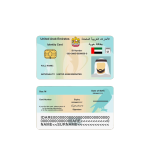
Federal Identity and Citizenship Authority (ICA) in the UAE provided the fast-track service. The service is designed to expedite the processing of Emirates ID applications, ensuring that applicants receive their ID within 24 hours.
For More Details and support go to burjbox.com

